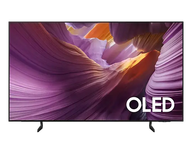
Gaming TVs
Gaming TVs: first, tell "4K120" apart from "1080p 120Hz"
Gaming TV specifications are the easiest to misread, because plenty of sets advertise "120Hz" without doing it at 4K. This page covers three things: what to actually check, which sets genuinely do 4K120, and where the best value sits.
⚠ The one thing to establish before you buy
An "HDMI 2.1" badge does not guarantee the set does 4K120. Some televisions have a 4K60 panel but reach 120Hz at 1080p/2K using DLG (Dual Line Gate). The specification sheet says "120Hz", which is technically true — but your PS5 will run at 60Hz in 4K.
What to check is not "does it have HDMI 2.1", but these four things:
| Check | Why |
|---|---|
| Refresh rate at 4K | Is it 4K120, or 120Hz only at 1080p? Very different things |
| Which HDMI ports support it | Many sets have only 1–2 high-bandwidth ports; the rest are ordinary |
| VRR | Variable refresh rate, which removes tearing — PS5 and Xbox both use it |
| ALLM | Switches to Game Mode automatically when a console starts |
DLG is not a cheat — at 1080p it is a genuine 120Hz scan, and many PS5 and Xbox 120Hz modes output at 1080p anyway, so a DLG set games perfectly smoothly. But if what you want is 120Hz at 4K, you need a natively high-refresh panel.
For what 60Hz, 120Hz and 144Hz mean in practice, see how refresh rate affects picture quality.
Best value: the Samsung QN70F
If you want a single answer: the QN70F 55" (HK$4,980) or 65" (HK$5,980).
Official specification: a 100Hz native panel, Motion Xcelerator 144Hz, and all four HDMI ports supporting 4K144.
That "all four ports" detail matters more than it sounds. Many sets at this price have only one or two high-bandwidth ports — so once you have a PS5, an Xbox and a soundbar connected, you start having to think about which cable goes where. The QN70F removes that problem entirely.
By budget
HK$5,000–8,000 — the sweet spot
- QN70F 55" HK$4,980 / 65" HK$5,980 — 4K144 across four ports. The most complete package at this price
- M80H 65" Mini LED (HK$7,980) — a 2026 Mini LED whose local dimming makes dark games (horror, space, anything set at night) far more legible
- TCL C7K QD-Mini LED (from HK$5,499) — Google TV platform with strong local dimming for the money
HK$10,000–15,000 — when picture quality matters more
- Samsung S90F QD-OLED 65" (HK$10,980) — OLED has the fastest pixel response of any panel type, so it shows the least smearing in fast motion. Unmatched for gaming in a dark room
- QN80F Neo QLED 65" (HK$11,980) — more brightness headroom, better suited to gaming in a daylit room
- LG OLED evo C6 (2026, HK$14,800) — a 2026 OLED with the α11 AI Processor 4K Gen3 and Dolby Vision support
OLED, Mini LED or Neo QLED?
| Advantage for gaming | Watch out for | |
|---|---|---|
| OLED | Fastest pixel response, perfect blacks, no off-axis falloff | Weaker in bright rooms; burn-in risk from static HUDs |
| Mini LED | High brightness headroom, no burn-in risk, local dimming for dark scenes | Faint haloing at dimming-zone edges |
| Neo QLED | Samsung's upper Mini LED line; the safest choice for a bright room | As above |
Gamers should pay particular attention to burn-in. If you play the same game constantly and its HUD (health bar, minimap, ammo count) sits in the same place for hours, Mini LED and Neo QLED are considerably safer. If you play a wide variety of games, mostly in the evening, OLED's picture advantage is very clear.
By console
PlayStation 5
The PS5 supports 4K120, VRR and ALLM. But to be clear: a PS5 works perfectly well on an HDMI 2.0 television — 4K HDR, every game, no compromise. HDMI 2.1 is only needed for 4K120.
So if you already own a 4K60 set, there is no urgency to replace it unless 4K120 is specifically what you want.
Xbox Series X
Same 4K120, VRR and ALLM support. Some Xbox titles additionally support Dolby Vision for Gaming, which requires a Dolby Vision TV — the LG C6 for instance. Samsung sets use HDR10+ and still deliver HDR (see Dolby Vision vs HDR10).
PC gaming
PC players want higher refresh rates and lower latency. VRR is the universal standard (defined by the HDMI Forum) and is supported across mainstream gaming televisions.
Some models additionally carry NVIDIA G-SYNC Compatible or AMD FreeSync Premium certification — but this varies by model and cannot be generalised. Tell us which graphics card you have and WhatsApp us before ordering; we will check the specification set by set.
Two settings to get right after you buy
- Turn on Game Mode — it strips out most picture processing to buy low latency, which is the right trade. If the set has ALLM it switches over automatically when a console starts
- Leave motion interpolation off — many people assume "motion smoothing makes it smoother", but it adds input lag, which is fatal for gaming. Smoothness should come from the panel's refresh rate and VRR, not from interpolated frames
For the remaining picture settings (Sharpness, colour temperature, adjusting SDR and HDR separately), see our TV picture calibration guide.
Frequently asked
Do I need HDMI 2.1 for gaming?
Not necessarily. A PS5 or Xbox works perfectly on an HDMI 2.0 television, with full 4K HDR. HDMI 2.1 is needed only for 4K120.
More importantly: do not read "HDMI 2.1" as meaning 4K120. Ask specifically whether it is 120Hz at 4K or 120Hz at 1080p, and how many ports support it.
120Hz or 144Hz?
For console gaming, 120Hz is plenty — the PS5 and Xbox output 120Hz at most. 144Hz only matters for high-end PC setups.
Will an OLED get burn-in from gaming?
If you play the same game for long stretches with a fixed HUD, the risk is real. Modern OLEDs include pixel-shifting and brightness-limiting protections, but if you are a heavy single-game player, Mini LED is considerably safer. Players with a varied library face much lower risk.
Can one TV handle both gaming and films?
Yes. Modern sets keep Game Mode and Filmmaker Mode as separate profiles with their own settings, and switch automatically if ALLM is supported. If films matter too, look at the Movie TVs range alongside this one.
Samsung has no Dolby Vision — does that hurt Xbox gaming?
Very little. Only some Xbox titles support Dolby Vision for Gaming; the rest use HDR10. Samsung uses HDR10+, so HDR still works. Details in Dolby Vision vs HDR10.
Warranty and contact
We sell international-version TVs, so the warranty is provided directly by Elechid rather than by the manufacturer. Our policy, in its own words: three years of door-to-door free checking and repairing; replacement parts are charged additionally. Full terms, delivery and installation charges are in our FAQ. Our Kwun Tong showroom holds stock, and you can arrange to see a set in person.
If you are not sure which set suits you, WhatsApp us — tell us your console or graphics card, the kind of games you play (competitive or single-player), your room size and your budget. We will tell you plainly which sets do real 4K120 and which are 1080p 120Hz, rather than fobbing you off with an "HDMI 2.1" label.
Further reading: 4K smart TV gaming features — Samsung and LG picks, and how refresh rate affects picture quality.
Products whose title does not say International Version are official Hong Kong stock covered by the manufacturer. See our warranty policy and FAQ.
Ask about stock