
Choosing an office meeting room TV in Hong Kong is not the same as buying a TV for home. At home the priorities are films, streaming, sport and gaming. In a meeting room they are readability, brightness under office lighting, quick screen sharing, and equipment that still works the same way on a Monday morning eighteen months from now.
This guide covers the decision most buying guides skip — consumer TV or commercial display — and then how to choose between 65, 75 and 85 inch, how to size by the seat that matters, what to know about wireless screen sharing, and what a business buyer should ask about warranty before ordering.
Start here: consumer TV or commercial display?
Most office TV guides jump straight to screen size. The first decision is actually which category of product you are buying, because it changes the price, the warranty and how the screen behaves in daily use.
| Consumer TV | Commercial display | |
|---|---|---|
| Best for | Meeting rooms used a few hours a day | All-day operation, signage, reception, showroom |
| Picture quality | Usually higher — QLED, Neo QLED, higher brightness | Adequate; tuned for reliability over spectacle |
| Warranty | International version — provided by Elechid, 3 years on-site | LG UT801C states 3-year manufacturer warranty |
| Entry price | From HK$3,980 (65 inch) | From HK$3,380 (43 inch) |
| Extras | Smart TV apps, streaming | Signage tools, portrait mode, content management |
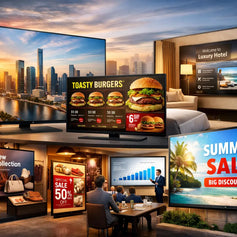
The short version: if the screen is used for meetings a few hours a day and picture quality matters for client-facing presentations, a consumer TV is usually the better buy. If the screen runs all day — reception, showroom, digital signage, a dashboard that is never switched off — a commercial display is the right product, and it may cost less.
Our full commercial display range includes:
- Samsung BED-H business display — 43/50/55 inch, from HK$3,380. The lowest-cost way into a proper business display
- LG UT801C commercial TV — 43/50/55/65/75 inch, HK$3,950–8,380. LG lists the intended environment as commercial, meeting room, retail and residential, with a 3-year manufacturer warranty and VESA 200×200 mounting
- Samsung 4K business TV / signage display — 43 to 75 inch, HK$4,180–9,880
Everything below applies to both categories, but the specific model recommendations are consumer TVs unless stated.
All-in-one meeting room displays
If the room is used mainly for video calls and collaborative sessions, there is a third option worth knowing about: a display with the camera, speakers and computer already built in.
- LG One:Quick Flex 43 inch — HK$23,680. A 4K all-in-one with a built-in 2K camera, 10-point touch with stylus, 10W + 10W speakers, HDMI / USB-C / RJ45, running Windows 10 IoT Enterprise — and it rotates between landscape and portrait. One box instead of a TV plus a camera plus a mini PC plus cabling
- Samsung WMFX Flip 55 inch interactive whiteboard — HK$39,800. For rooms where people write on the screen: workshops, design reviews, training
These cost more than a TV, but they replace several pieces of equipment and remove the cabling problem that causes most meeting-room delays. For a room booked all day, that is usually the cheaper answer over three years.
TV or projector? The honest answer
For most Hong Kong meeting rooms, a large 4K TV is the more practical choice, for four reasons:
- Brightness. Projectors want a darkened room. Hong Kong meeting rooms usually have glass partitions, strong ceiling lighting or a window. A TV is unaffected
- Text clarity. Meetings are spreadsheets, slides, dashboards and PDFs. A 4K panel renders small text more cleanly than a mid-range projector
- Maintenance. No lamp, no filter, no alignment. Switch it on and it is the same as yesterday
- Space. A wall-mounted panel takes less room than a projector plus screen plus throw distance
But there is a real case where a projector still wins: when you need an image significantly larger than 85 inches — a training room, an auditorium, a town-hall space — or when the room genuinely can be darkened. Above 85 inches, screen cost rises steeply and delivery into a Hong Kong commercial building becomes its own problem, while an ultra-short-throw laser projector will happily put 120 inches on a wall.
If that sounds like your room, see our projector range and the 12-model projector comparison.
How to size an office screen: the only rule that matters
Home TV guides give you a viewing-distance range with a minimum and a maximum. In an office, the minimum is irrelevant. There is no such thing as sitting too close to read a spreadsheet — closer is simply more readable. The only question is:
Can the person in the worst seat read the smallest thing you will put on screen?
That is also how the professional AV standard approaches it. ANSI/AVIXA V202.01:2016 — "Display Image Size for 2D Content in Audiovisual Systems" (DISCAS) — sizes displays from the height of the smallest content element and the distance of the farthest viewer, not from a cinema-style viewing angle.
The test to run before you order, which beats any rule of thumb:
- Open the actual file you will present most — the real spreadsheet, the real slide deck, not a demo
- Put it on a laptop screen at 100% zoom
- Sit in the farthest seat in the room
- Measure how far you would have to move the laptop back before the text becomes uncomfortable
If you cannot read a 10-point cell reference from the back of the room today, a bigger screen is not optional — and choosing the "comfortable-looking" size will cost you every meeting after that.
Starting point by room type
| Room | Seats | Suggested size |
|---|---|---|
| Huddle room, manager's office | 2–4 | 65 inch |
| Small meeting room | 4–6 | 65 inch |
| Standard conference room | 6–12 | 75 inch |
| Boardroom, long table | 12–20 | 85 inch |
| Training room | varies | 75–85 inch, sized on the back row |
| Reception, showroom, signage | — | Commercial display |
⚠ 55 inch is below the sensible starting point for a shared meeting room. It looks generous at home and reads as too small the moment four people share it.
65 inch: small meeting rooms and huddle spaces
A 65 inch TV covers huddle rooms, manager offices, interview rooms and small team spaces — and it is the largest size most people can comfortably move between rooms.
- Samsung 65" U8000F Crystal UHD — HK$3,980 (also designated UE800F). The practical entry point: 4K, Tizen, screen mirroring. Enough for slides, documents, video calls and internal meetings
- Samsung 65" Q7F QLED — HK$4,980. Quantum dot: stronger colour and brightness. Worth it when the room is bright or client-facing
- Samsung 65" Q8F QLED — HK$5,380. Dual LED backlight with Supreme UHD Dimming and the Q4 AI processor
- Samsung 65" QN70F Neo QLED — HK$5,980. Mini LED backlight, NQ4 AI Gen2 processor, Neo Quantum HDR with HDR10+, and four HDMI inputs — genuinely useful when a room has a laptop input, a mini PC and a spare port for visitors
Choose 65 inch if the room seats six or fewer, the table is close to the screen, or the screen has to move between rooms.
75 inch: standard conference rooms
A 75 inch TV is the most useful size for a typical Hong Kong conference room of six to twelve people. It is a clear step up from 65 without becoming a delivery and installation project.
- Samsung 75" U8500F Crystal UHD — HK$6,580. The value option at this size
- Samsung 75" Q8F QLED — HK$7,980. The presentation-room choice: better colour for product images, design work and marketing material
- Samsung 75" QN70F Neo QLED — HK$9,980. Mini LED brightness for rooms with glass walls or heavy daylight
For a deeper look at this size, see our 75-inch buying guide.
Choose 75 inch if the room seats six to twelve, you regularly host clients, or people at the far end of the table are currently squinting.
85 inch: boardrooms, training rooms and showrooms
An 85 inch TV is for a long table, a back row, or a room where the screen is part of the impression you are making.
- Samsung 85" Q7F QLED — HK$10,980. The most cost-effective way to get to 85 inches with quantum dot colour
- Samsung 85" QN70F Neo QLED — HK$15,980. Mini LED, for boardrooms where brightness and contrast are part of the pitch
⚠ Before ordering 85 inch, check the logistics. In Hong Kong commercial buildings the constraint is rarely the wall — it is lift dimensions, corridor width, the office entrance and the loading bay booking. Measure the narrowest point on the route, not just the room.
Wall structure also matters: many offices use partition or glass walls that will not carry an 85-inch panel without reinforcement. For 75 and 85 inch, use professional installation.
Which panel type for an office?
Crystal UHD — practical and cost-effective
Crystal UHD gives you 4K, a smart platform and a clean image at the lowest price. It is enough for slides, spreadsheets, PDFs, video calls, internal meetings and training videos.
Choose it if the room is internal-facing and the lighting is moderate.
QLED — better in a bright room
QLED adds a quantum dot layer for wider colour and higher brightness. That matters in Hong Kong offices, where meeting rooms tend to have strong ceiling lights, windows or glass walls.
Choose it if the room is bright, or the screen is used for client presentations, product images, design previews or marketing material.
Neo QLED — premium brightness and contrast
Neo QLED uses a Mini LED backlight with far denser dimming zones: brighter, with better control of light and dark in the same frame. For boardrooms, executive rooms, showrooms and rooms with heavy daylight.
OLED — excellent, but usually the wrong tool here
OLED delivers the best contrast and perfect blacks, and it is superb for film. For a meeting room it is usually not the right choice, for two specific reasons rather than as a matter of taste:
- Office content is static. A ribbon toolbar, a dashboard header or a video-call name bar can sit in the same pixels for hours a day, every day. Permanently static high-contrast elements are the hardest case for any self-emissive panel — an LCD-based QLED or Neo QLED has no equivalent concern
- Meeting rooms are bright. OLED's advantage is contrast in a dark room, which is the one condition an office almost never provides. Brightness is the property that actually helps you here
OLED still makes sense for a luxury showroom or a design studio where image quality is the product. For a working meeting room, QLED or Neo QLED is the better balance.
Wall mount or mobile stand?
Wall mounting is the cleaner, more professional setup and the right answer for a fixed conference room or boardroom. It saves floor space, has no cables trailing and cannot be knocked. Check the wall first — many Hong Kong offices use partition or glass walls that need reinforcement for a large panel.
A mobile stand makes sense when the screen has to move between rooms, when the lease does not allow drilling, or when the office layout changes often. If you go this route, check:
- Rated maximum screen size and weight — they are different limits
- VESA pattern match (the QN70F and most large Samsung sets use large VESA patterns; confirm before ordering)
- Wheel locks that actually hold, and a base wide enough not to tip
- Height adjustment, cable management, and a shelf for a laptop or mini PC
⚠ For 85 inch, only use a stand specifically rated for that size. 65 and 75 inch are far easier to manage on a mobile stand; 85 inch on an underrated stand is a genuine safety problem in a busy office. Always lock the wheels in use.
⚠ We do not currently stock TV stands or wall mount brackets — we would rather tell you that than have you find out at delivery. Installation and wall mounting are quoted separately; charges are in our FAQ, and we can advise on what your wall will take. WhatsApp us with a photo of the wall and we will tell you straight whether it needs reinforcement.
Wireless screen sharing
Nobody wants to hunt for an HDMI cable at the start of every meeting. What works depends on what your staff carry.
- Apple devices (MacBook, iPad, iPhone) — Samsung TVs support AirPlay, so mirroring works natively. Useful for design, marketing, sales and education teams where Apple hardware is common
- Android phones — Google TV models have Chromecast built in; Samsung sets use Smart View / screen mirroring
- Windows laptops — Miracast works, but HDMI remains the most reliable option for anything that matters
⚠ Wireless screen sharing rides on your Wi-Fi. If the office Wi-Fi is congested or the meeting room is a dead spot, mirroring will stutter or drop — and it will do it in front of the client. Test it in the actual room, not at the desk.
Every meeting room should keep a wired fallback:
- One HDMI cable, long enough to reach the far end of the table
- One USB-C to HDMI adapter
- One USB-C hub
- A power socket near the table
- Spare remote batteries
For rooms used by many departments or by external visitors, a dedicated wireless presentation device or a room system (Teams Rooms, Zoom Rooms) removes most of the compatibility friction — or use an all-in-one like the One:Quick Flex, which already runs Windows.
Video conferencing: the TV is only the screen
A common mistake is assuming a large TV completes a video-conferencing room. It does not. The TV is the display; you still need a camera, a microphone and speakers that work for everyone in the room.
Small room (2–6 people): TV + laptop + a USB conference camera is usually enough. The laptop's own microphone can cope at close range.
Medium and large rooms: the built-in TV speakers become the weak point. People at the far end of a call will hear room echo and struggle with anyone sitting away from the laptop. Add a soundbar or a dedicated conference speakerphone — audio is what makes hybrid meetings work or fail, far more than screen size.
Or skip the assembly: the LG One:Quick Flex has the 4K screen, a 2K camera, speakers and a Windows PC in a single unit — no separate camera to mount, no mini PC to hide, no cable run.
What actually matters in an office TV
Ignore most of the specification sheet. For a meeting room, these are the features that change your daily experience:
- 4K resolution — non-negotiable at 65 inch and above; this is what makes small text legible
- Brightness — the office equivalent of picture quality
- Enough HDMI ports — the QN70F has four; two is workable, one is a daily annoyance
- Reliable screen mirroring — AirPlay, Chromecast or Smart View, matched to your staff's devices
- Wide viewing angle — people sit along the sides of a table, not in a row facing the screen
- A remote that survives — and a spare
- On-site warranty — see below
What does not matter for an office: 120Hz refresh rates, VRR, game modes, Dolby Atmos and cinema picture presets. These are entertainment features and they will not make a single meeting better. Do not pay for them; do not let anyone sell you on them.
Warranty, installation and business terms
This is the part most TV buying guides leave out, and for a company it is often the deciding factor.
Our consumer TVs are international versions — not local agent stock, and the warranty is provided by Elechid, not the brand's Hong Kong agent. The policy, stated exactly: free on-site inspection and repair within three years; if parts need replacing, that is quoted separately.
⚠ "On-site" is worth more to an office than to a home. Nobody wants to dismount a 75-inch panel, get it into a lift and carry it to a service centre while a meeting room sits unusable. A technician who comes to you is the difference between an afternoon and a fortnight.
If you prefer a manufacturer warranty, the LG UT801C commercial TV states a 3-year manufacturer warranty on its specification, and LG lists commercial and meeting-room use as intended environments. It costs more than an equivalent-size consumer set — that is what you are paying for.
Installation and delivery: wall mounting is quoted separately and is not included in the TV price. Charges and full terms are in our FAQ. For 75 and 85 inch, tell us the building and floor when you enquire so we can check access before you order.
Our Kwun Tong showroom holds stock, and you can arrange to see a set in person.
Buying checklist
- Number of seats, and the distance to the farthest one
- The smallest text you will actually display — run the laptop test above
- Hours per day the screen will be on (this decides consumer vs commercial)
- Room lighting: glass walls? windows? direct sun at any hour?
- Wall type and whether it will carry the panel
- Delivery route: lift, corridor, entrance, loading bay
- Mac or Windows staff — this decides your screen-sharing method
- HDMI ports needed
- Video conferencing: camera and audio, budgeted separately
- Warranty terms and who invoices
Five mistakes that cost money
- Buying on price alone. A dim screen in a bright room slows down every meeting held in that room for the next five years
- Buying too small. 55 inch looks big in a shop and reads as too small across a conference table. Start at 65
- Skipping the access check. An 85-inch panel that will not fit the lift is an expensive lesson
- Relying only on wireless. Always keep an HDMI cable in the room
- Forgetting audio. Hybrid meetings fail on sound long before they fail on picture
Frequently asked questions
Is a 65 inch TV enough for an office meeting room?
For a room seating four to six, yes. For a longer table or a room where people sit more than about three metres from the screen, 75 inch is the safer choice. Size on the farthest seat, not on the room's appearance.
Should I buy a consumer TV or a commercial display?
Consumer TV if the room is used for meetings a few hours a day and picture quality matters for clients. Commercial display if the screen runs all day, shows signage, or sits in a reception or showroom. Commercial displays start at HK$3,380 — in some sizes they cost less than a consumer TV, not more.
Do I need 120Hz or gaming features for an office TV?
No. 120Hz, VRR and game modes make no difference to slides, spreadsheets or video calls. Put the budget into screen size, brightness and audio instead.
Is QLED better than Crystal UHD for office use?
In a bright room or a client-facing room, yes — QLED is brighter with stronger colour. For an internal room with moderate lighting, Crystal UHD is enough and costs less.
Can office TVs do wireless screen sharing?
Yes. Samsung TVs support AirPlay and Smart View; Google TV models have Chromecast built in. Performance depends on your office Wi-Fi — test it in the actual meeting room before you rely on it, and always keep an HDMI cable as backup.
Do you sell mobile TV stands or wall brackets?
No — we do not currently stock stands or mounts. Installation and wall mounting are quoted separately; see our FAQ, or send us a photo of the wall and we will tell you whether it needs reinforcement.
What warranty do I get on an office TV?
Our TVs are international versions and the warranty is provided by Elechid: free on-site inspection and repair within three years, with parts quoted separately if replacement is needed. If you specifically want a manufacturer warranty, the LG UT801C commercial TV states a 3-year manufacturer warranty.
Can I use a normal home TV in a meeting room?
Yes, and for most offices it is the sensible choice. Get the size, the brightness and the screen sharing right, and a consumer 4K TV works well. The case for a commercial display is all-day operation, signage or reception use.
What about a projector instead?
For most meeting rooms a TV is better — brighter, sharper on text, less maintenance. A projector still wins when you need an image well beyond 85 inches, such as a training room or auditorium. See our projector range.
Which models do you recommend for offices?
65 inch: U8000F HK$3,980, Q7F HK$4,980 or QN70F HK$5,980. 75 inch: U8500F HK$6,580 or Q8F HK$7,980. 85 inch: Q7F HK$10,980 or QN70F HK$15,980. Browse the full Samsung and LG ranges, or shop by size.
Tell us the room and we will size it
WhatsApp us with three things — how many seats, how far the farthest chair is, and what you mostly put on screen — and we will recommend a size and a model. If a commercial display suits you better than a consumer TV, we will say so, even when it is the cheaper option.
Related reading: digital signage for retail and F&B · best 65-inch TVs compared