


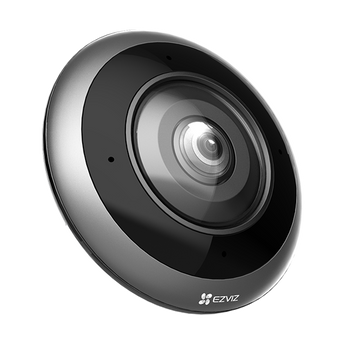


EZVIZ E4p 6MP 360° Fisheye Indoor Wi-Fi Camera
- Home monitoring
- Indoor shops
- Open-plan spaces
Pickup available at Elechid
Usually ready in 24 hours
EZVIZ E4p is a compact indoor Wi-Fi fisheye camera for a wide overview of a room, shop or office. Its fixed panoramic lens records 2320 × 2320 video and provides multiple viewing layouts in the EZVIZ App. Choose it for an overview of activity; a wide-angle view does not guarantee readable labels, faces or cash at every distance.
Where the E4p fits
Consider a central ceiling or wall position in a living room, shop floor or small office. Check the actual lens view around shelves, lighting and furniture, and agree on audio and viewing access with people using the space. This is an indoor camera, not an outdoor weatherproof model.
Features and specifications
| Exact model | CS-E4p-R100-8C6WKF |
|---|---|
| Video output | 2320 × 2320; 3K+ / marketed 6MP; up to 25 fps |
| Sensor and lens | 1/2.8-inch CMOS; 1.82mm F2.0 fisheye lens |
| Coverage | Fixed fisheye panoramic view; multiple app display modes; no motorised pan/tilt |
| Night vision | Infrared up to 10m; automatic day/night switching |
| Detection and audio | Motion, human-shape and loud-noise detection; two-way talk |
| Connection | Dual-band 2.4/5GHz Wi-Fi; no PoE claimed |
| Recording storage | microSD up to 512GB, sold separately; optional CloudPlay where available |
| Power | USB-C; DC 5V/2A; max. 8W |
| Use and dimensions | Indoor; -10 to 45°C; Ø80 × 35mm; 122g camera |
Package and compatible add-ons
The manufacturer lists the camera, power adapter, power cable, magnetic mounting base, mounting accessories and documentation. Confirm the supplied Hong Kong package before ordering. A memory card and CloudPlay subscription are separate purchases. Select a microSD card within the camera’s 512GB limit; CloudPlay eligibility depends on the exact camera, account region and plan. This camera does not contain a rechargeable battery, and solar panels are not a suitable add-on.
The 360° label describes the fisheye overview and viewing modes, not a motorised rotating head. Recording duration depends on video settings, activity and storage capacity.
Related buying guides
- Hong Kong shop CCTV and till planning
- CCTV recording retention and storage guide
- Indoor and home security cameras
- Business CCTV Privacy in Hong Kong: Audio, Access and Retention
- CCTV Notices in Hong Kong: Wording and Placement
- Export and Back Up CCTV Footage: App, NVR and Cloud Guide
Specifications checked against the EZVIZ E4p manufacturer specifications. Hong Kong stock and warranty follow the supplied local version and warranty documentation.
When it arrives: first setup and checks
- Power up in an accessible position, and check package contents. Use the exact model's manufacturer instructions and app prompts to add it. Do not substitute another version's pairing or reset procedure.
- Use this model's supported Wi-Fi band, Ethernet or base-station connection. Pair near the router where appropriate, then check signal at the intended position before fixing it in place.
- Configure account/device security and viewing permissions using this model’s supported settings. Check date, time, notifications and framing.
- Enable a supported card, NVR/hub or cloud recording method. Test recording, playback and storage location before permanent mounting. Live view does not mean recording is active.
Setup reference: EZVIZ manufacturer setup and support Choose the matching model and hardware version. This self-setup checklist does not include on-site or done-for-you setup services.


