


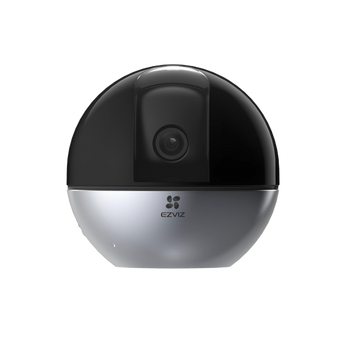


EZVIZ E6 3K 5MP Pan-Tilt Indoor Wi-Fi Camera
- Home monitoring
- Pet monitoring
- Indoor shops
Pickup available at Elechid
Usually ready in 24 hours
EZVIZ E6 3K 5MP indoor IP camera with human/pet detection, smart tracking and gesture recognition. Connect by dual-band Wi-Fi or Ethernet and record to microSD up to 512GB.
Suitable uses
Suitable for everyday monitoring in a living room, bedroom, pet activity area or small office. Remote camera movement lets you check different directions; plan nearby power, connectivity and privacy needs.
Key features
- The 2880 × 1620 image captures detailed indoor footage, with wide dynamic range helping balance areas of contrasting brightness.
- Human-shape and pet detection help distinguish everyday household activity, while smart tracking can follow a moving subject around the room.
- Gesture recognition and voice-activity detection provide additional ways to interact with the camera and receive notifications about activity at home.
- A 512GB microSD capacity, 2.4/5 GHz Wi-Fi and RJ45 Ethernet let you plan local recording and network connection together.
Specifications
| Model | CS-E6-R100-8C5W2F |
|---|---|
| Resolution | 2880 × 1620 / 5MP |
| Rotation | Pan 350°; tilt 75° |
| Lens | 4mm F2.0 |
| Storage | microSD up to 512GB |
Package and requirements
E6 camera and standard power/mounting accessories; local package contents should be confirmed for the listed regional model.
Indoor powered camera; memory card and optional CloudPlay service are separate. The listed CS-E6-R100-8C5W2F differs from the HomeKit model on the current global page, so Apple HomeKit compatibility is not promised for this unit.
Compare and plan your system
Browse compare security cameras and recorders and security camera accessories; for another model, see EZVIZ H6C Pro 3K indoor camera.
For manufacturer information, see official product information.
Choosing a monitoring system? Read our Hong Kong home CCTV buying guide to compare power, connectivity and recording options, or browse security cameras and IP cameras.
When it arrives: first setup and checks
- Power up in an accessible position, and check package contents. Use the exact model's manufacturer instructions and app prompts to add it. Do not substitute another version's pairing or reset procedure.
- Use this model's supported Wi-Fi band, Ethernet or base-station connection. Pair near the router where appropriate, then check signal at the intended position before fixing it in place.
- Configure account/device security and viewing permissions using this model’s supported settings. Check date, time, notifications and framing.
- Enable a supported card, NVR/hub or cloud recording method. Test recording, playback and storage location before permanent mounting. Live view does not mean recording is active.
Setup reference: EZVIZ manufacturer setup and support Choose the matching model and hardware version. This self-setup checklist does not include on-site or done-for-you setup services.


