


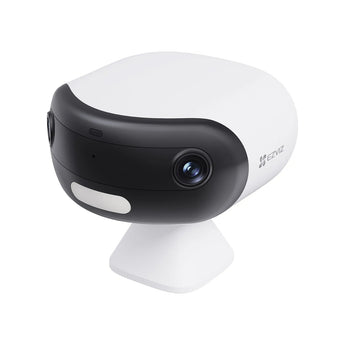


EZVIZ CB30 Dual 3K Panoramic Wi-Fi Battery Camera
- Outdoor entrances
- Gardens & yards
- Open-plan spaces
Pickup available at Elechid
Usually ready in 24 hours
EZVIZ CB30 Dual 3K battery IP camera with a 180° panorama, human/vehicle detection and IP65 protection. Supports colour night vision and local microSD recording up to 512GB.
Suitable uses
Suitable for monitoring positions where reducing fixed power wiring helps placement. Check Wi-Fi coverage, the intended recording mode and charging arrangements; solar accessories are included only where listed for this version.
Key features
- A 180° horizontal view helps capture activity across a wider area without manually turning the camera.
- 3K 2880 × 1620 recording gives you detail to review, with infrared and colour night-view modes for different lighting conditions.
- AI human and vehicle detection helps you focus on outdoor activity, with two-way audio available for responding from the app.
- The 5,200mAh battery, IP65 enclosure and microSD support up to 512GB combine portable placement with local recording.
Specifications
| Model | CS-CB30-R100-1Q55W |
|---|---|
| Resolution | 2880 × 1620 / 3K |
| Horizontal view | 180° |
| Battery | 5,200mAh |
| Protection | IP65 |
Package and requirements
CB30 Dual camera and standard charging/mounting accessories. A solar panel is not included in this supplier listing.
Requires suitable 2.4GHz Wi-Fi coverage. Memory card, solar panel and cloud storage are separate. Panoramic stitching and night image quality depend on placement and lighting. Battery runtime varies with recording settings, temperature and activity.
Compare and plan your system
Browse compare security cameras and recorders and security camera accessories; for another model, see EZVIZ H3c outdoor camera.
For manufacturer information, see official product information.
Choosing a monitoring system? Read our Hong Kong home CCTV buying guide to compare power, connectivity and recording options, or browse security cameras and IP cameras.
When it arrives: first setup and checks
- Power up in an accessible position, charging battery models as instructed, and check package contents. Use the exact model's manufacturer instructions and app prompts to add it. Do not substitute another version's pairing or reset procedure.
- Use this model's supported Wi-Fi band, Ethernet or base-station connection. Pair near the router where appropriate, then check signal at the intended position before fixing it in place.
- Configure account/device security and viewing permissions using this model’s supported settings. Check date, time, notifications and framing.
- Enable a supported card, NVR/hub or cloud recording method. Test recording, playback and storage location before permanent mounting. Live view does not mean recording is active. Battery models do not all support continuous recording.
Setup reference: EZVIZ manufacturer setup and support Choose the matching model and hardware version. This self-setup checklist does not include on-site or done-for-you setup services.


