


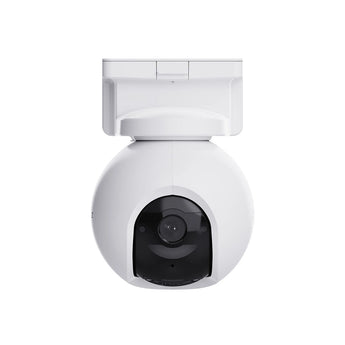


EZVIZ EB8 Pro 4K 4G LTE & Wi-Fi Battery PTZ Camera
- No-Wi-Fi locations
- Outdoor entrances
- Gardens & yards
Pickup available at Elechid
Usually ready in 24 hours
EZVIZ EB8 Pro 4K battery PTZ security camera with 4G LTE/Wi-Fi 6 auto switching, AI detection and 512GB microSD support. Solar panel and SIM data are separate purchases.
Suitable uses
Suitable for monitoring a location without fixed Wi-Fi where compatible mobile coverage is available. Battery power helps with placement; arrange a suitable SIM, data plan and charging routine.
Key features
- 4K 3840 × 2160 imaging and a 340° pan / 75° tilt mechanism let you change the view and examine outdoor activity.
- Automatic switching between 4G and Wi-Fi adds connection flexibility when both networks are configured and available.
- AI human and vehicle detection, selected wild-animal detection and smart tracking help you follow relevant movement around the property.
- The 10,400mAh battery supports cable-free camera positioning; compatible solar charging is available as a separate accessory.
Specifications
| Model | CS-EB8-R200-1M8W4GA |
|---|---|
| Resolution | 3840 × 2160 / 8MP |
| Network | 4G LTE + Wi-Fi 6 |
| Battery | 10,400mAh |
| Protection | IP65 |
| Storage | microSD up to 512GB |
Package and requirements
EB8 Pro 4G camera with standard mounting and charging accessories; solar panel is sold separately.
A compatible SIM/data plan is required for 4G and is separate. AOV uses adaptive recording, rather than full-frame-rate video at all times. Battery and solar performance depend on the site, settings and activity. Memory card and CloudPlay are separate.
Compare and plan your system
Browse compare security cameras and recorders and security camera accessories; for another model, see EZVIZ H3c outdoor camera.
For manufacturer information, see official product information.
Choosing a monitoring system? Read our Hong Kong home CCTV buying guide to compare power, connectivity and recording options, or browse security cameras and IP cameras.
When it arrives: first setup and checks
- Power up in an accessible position, charging battery models as instructed, and check package contents. Use the exact model's manufacturer instructions and app prompts to add it. Do not substitute another version's pairing or reset procedure.
- For 4G, check SIM activation, a suitable data plan and on-site signal. On dual-connection models, configure the 4G or Wi-Fi mode you intend to use.
- Configure account/device security and viewing permissions using this model’s supported settings. Check date, time, notifications and framing.
- Enable a supported card, NVR/hub or cloud recording method. Test recording, playback and storage location before permanent mounting. Live view does not mean recording is active. Battery models do not all support continuous recording.
Setup reference: EZVIZ manufacturer setup and support Choose the matching model and hardware version. This self-setup checklist does not include on-site or done-for-you setup services.


