


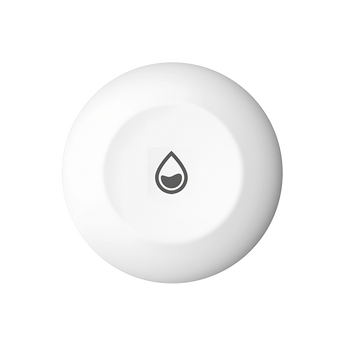


EZVIZ T10C Water Leak Sensor (Zigbee, Needs EZVIZ A3 Gateway)
Pickup available at Elechid
Usually ready in 24 hours
Place the T10C under a sink, by the washing machine or near a toilet, and it alerts you when water reaches 0.5 mm. It is a Zigbee 3.0 sensor and needs an EZVIZ Home Gateway A3, sold separately, for app alerts and the siren.
Key features
- App alert and gateway siren: When water reaches 0.5 mm, the EZVIZ app alerts you and repeats every 5 minutes until the level drops, while the connected gateway sounds a 3-minute siren that also repeats every 5 minutes.
- IP67 body for wet spots: The IP67-rated sensor sits flat on the floor in kitchens, bathrooms and laundry areas.
- Needs the EZVIZ A3 gateway: The T10C connects by Zigbee 3.0 to an EZVIZ Home Gateway A3, which is not included; without it there are no app alerts or siren.
Specifications
| Detection | Water leaks; triggers at 0.5 mm or more |
|---|---|
| Protocol / hub | Zigbee 3.0 (2.4 GHz); requires EZVIZ Home Gateway A3 (sold separately) |
| Communication distance | Under 200 m (open-area test) |
| IP rating | IP67 |
| Battery | CR2032 coin cell, replaceable; up to 1 year (2 leak detections a day) |
| Alerts | App alerts, gateway siren, low-battery reminder; no tamper alarm |
| Installation | Place on a flat surface |
| Dimensions / weight | Φ49 × 11.5 mm; 17.44 g |
| Operating conditions | -10 °C to 55 °C, humidity up to 95% (non-condensing) |
| App | EZVIZ app |
In the box: T10C water leak sensor, quick start guide, regulatory information
Warranty and delivery
This is Hong Kong licensed stock, covered by the local distributor's warranty; the period is shown on the warranty card in the box. Brand new. Kwun Tong collection is by appointment; confirm availability and a collection time before travelling. No demonstrations or product trials are provided.
Delivery by SF Express, freight collect. Free self-collection at our Kwun Tong shop (11:00–19:00). For other arrangements, please WhatsApp us.
FAQ
Will the sensor itself beep when it detects water?
EZVIZ describes the siren as sounding from the connected Home Gateway A3, together with app alerts, so the gateway is needed for the audible alarm.
Related buying guides
- EZVIZ T1C PIR Motion Sensor (Zigbee, Needs EZVIZ A3 Gateway)
- EZVIZ T2C Door/Window Open-Close Sensor (Zigbee, Needs EZVIZ A3 Gateway)
- EZVIZ T3C Smart Button (Zigbee, Needs EZVIZ A3 Gateway)
- Hong Kong CCTV buying and setup guide
- Returns and refund policy
- Shipping policy
Further reading: EZVIZ Sensors and CCTV: A3 Gateway and Compatibility.
When it arrives: first setup and checks
- Power up in an accessible position, and check package contents. Use the exact model's manufacturer instructions and app prompts to add it. Do not substitute another version's pairing or reset procedure.
- Use this model's supported Wi-Fi band, Ethernet or base-station connection. Pair near the router where appropriate, then check signal at the intended position before fixing it in place.
- Configure account/device security and viewing permissions using this model’s supported settings. Check date, time, notifications and framing.
- Enable a supported card, NVR/hub or cloud recording method. Test recording, playback and storage location before permanent mounting. Live view does not mean recording is active.
Setup reference: EZVIZ manufacturer setup and support Choose the matching model and hardware version. This self-setup checklist does not include on-site or done-for-you setup services.


