


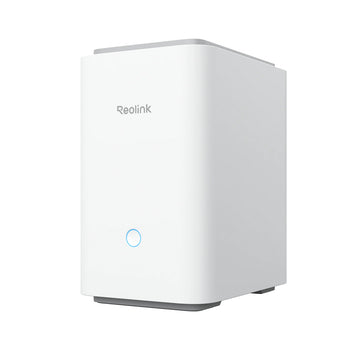


Reolink Home Hub Pro Security Hub with 2TB HDD
- Home systems
- Review local footage
Pickup available at Elechid
Usually ready in 24 hours
Reolink Home Hub Pro includes a 2TB HDD, Wi-Fi 6 and HDMI output for compatible camera systems. Centralise local recordings; camera capacity depends on hardware and firmware.
Suitable uses
Suitable for a household using compatible Reolink cameras that wants central management and local recording storage. Check camera models, camera count and firmware support before expanding, and plan a suitable indoor location for the hub.
Key features
- Wi-Fi 6; HDMI output provides the starting point for planning a system around the number and type of cameras you need.
- Pre-installed 2TB HDD gives you a local recording destination whose retention period can be matched to resolution, bitrate and recording schedule.
- Central management helps you view connected cameras and locate stored footage through the supported Reolink interfaces from one system.
Specifications
| Configuration | Wi-Fi 6; HDMI output |
|---|---|
| Storage / budget | Pre-installed 2TB HDD |
| Application | Compatible Reolink security cameras |
| Model reference | HHP01 |
Package and requirements
One Home Hub Pro unit; supplied with 2TB HDD.
Camera capacity is hardware dependent: some versions support 12, others up to 24 battery cameras with limits. Confirm before expansion. Camera compatibility and available functions depend on the exact model, hardware and firmware. Cameras and installation cabling are separate unless expressly listed in the pack. Install the unit in a dry, ventilated indoor position with an appropriate power supply.
Compare and plan your system
Browse compare security cameras and recorders and security camera accessories; for another model, see Reolink P340 PoE camera.
For manufacturer information, see official product information.
Choosing a monitoring system? Read our Hong Kong home CCTV buying guide to compare power, connectivity and recording options, or browse NVRs and camera storage hubs.
Before ordering, use our how to choose different cameras for the living room, entrance and rooftop; first CCTV order checklist: power, recording and necessary accessories to list each viewpoint and the equipment requirements to confirm.
When it arrives: first setup and checks
- Check the exact recorder or hub model, hardware version, package contents and installed storage. A drive-free model needs separately purchased supported storage. Follow its instructions for power, router and any required display connections.
- Initialise the device using its manufacturer workflow, set a device password in your own account and add supported cameras. The same brand or an Ethernet socket alone does not prove compatibility.
- Check each camera's date, time and recording schedule. Make a test recording, play it back and try exporting a clip. Retention varies with camera count, bitrate, recording mode and usable storage.
Back up footage before formatting or resetting. NVR and Home Hub setup screens and supported features differ.
Setup reference: Reolink manufacturer setup and support Choose the matching model and hardware version. This self-setup checklist does not include on-site or done-for-you setup services.


