


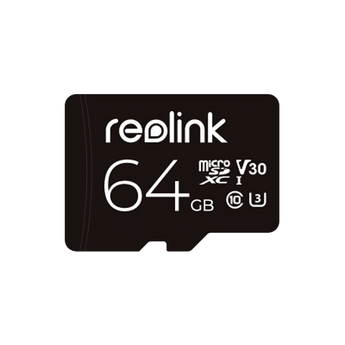


Reolink microSDXC Memory Card for Security Cameras (V30, U3)
HK$240.00
/
Pickup available at Elechid
Usually ready in 24 hours
Reolink's own microSDXC cards for recording on Reolink cameras, rated V30 and U3 with read speeds up to 100MB/s. Check your camera's maximum supported card size before choosing a capacity.
Specifications
| Capacity | 64GB / 128GB / 256GB |
|---|---|
| Card type | microSDXC |
| Video speed class | V30 |
| UHS speed class | U3 |
| Transfer speed | Up to 100MB/s read (actual speed depends on the host device) |
| Operating temperature | 0°C to 70°C |
| Storage temperature | -40°C to 80°C |
| Designed for | Reolink security cameras with a microSD slot (check each camera's maximum card size) |
| Formatting | Format the card in the camera via the Reolink app, client or web interface |
Warranty and delivery
This is Hong Kong licensed stock, covered by the local distributor's warranty; the period is shown on the warranty card in the box. Brand new. Kwun Tong collection is by appointment after confirmation; no on-site demonstrations or testing.
Delivery by SF Express, freight collect. Free self-collection at our Kwun Tong shop (11:00–19:00). For other arrangements, please WhatsApp us.
Related buying guides
- Kodak Premium Performance microSD Card UHS-I U1 V10 A1
- Kodak Ultra Performance microSD Card UHS-I U3 V30 A1
- Kodak for Creators microSD Card UHS-I U3 V30 A2
- Memory cards & SSDs
- Hong Kong CCTV buying and setup guide
- Returns and refund policy
- Shipping policy
- Export and Back Up CCTV Footage: App, NVR and Cloud Guide
When it arrives: first setup and checks
- Before opening or fitting, match the exact camera model, accessory part number, connectors and capacity or power requirements. Similar appearance does not establish compatibility.
- Fit the accessory as instructed. For power, wall mounting or outdoor connectors, check load, cable routing and weatherproofing requirements. A solar panel must match the camera's supported input and connection.
- Confirm the card is detected in the supported device, configure recording as instructed, then test recording and playback. Formatting erases the contents: back up files you need first.


