


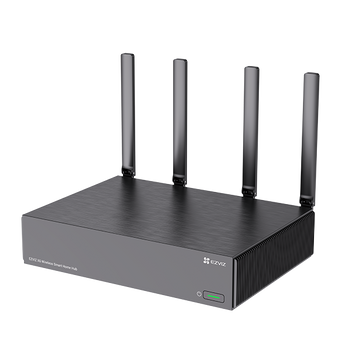


EZVIZ X6 16-Channel Wi-Fi AI NVR (No HDD)
- Home systems
- Shop systems
- Multiple entrances
Pickup available at Elechid
Usually ready in 24 hours
Build a local CCTV recording system with the EZVIZ X6 16-channel Wi-Fi AI NVR. It accepts supported camera streams up to 18MP, provides HDMI output up to 4K and offers local AI search to help find recorded activity. Two SATA bays support storage expansion; this listing does not include a hard drive.
For shops, offices and home systems
Plan the camera list, network reception, screen connection and retention period before ordering. This is the Wi-Fi version. Choose the separate X6 4G/Wi-Fi model if the recorder needs a mobile-network connection. Keep the NVR indoors with power, ventilation and safe access for maintenance.
Verified specifications
| Exact manufacturer model | CS-X6-R100-2T16W8 |
|---|---|
| Camera channels and input | Up to 16 channels; supported camera resolution up to 18MP / 6K |
| Camera compatibility | EZVIZ, Hikvision and ONVIF (1.0); battery-device support depends on model and current firmware |
| Local display | 1 HDMI up to 4K; 1 VGA up to 1080p; local GUI and mouse control |
| Hard disk support | 2 × SATA 3.0; 2.5/3.5-inch drives; up to 16TB per drive; drives sold separately |
| Network | 2 × Gigabit Ethernet; dual-band 2.4/5GHz Wi-Fi; 5GHz uplink |
| 4G LTE | Not supported on this Wi-Fi-only version |
| Recording management | H.264/H.265; local AI video search and alerts; EZVIZ App remote access |
| Audio | 3.5mm input and output; two-way talk requires compatible external microphone and speaker |
| Power and environment | DC 12V/2.5A; indoor 0–40°C; no PoE output ports claimed |
| Size and weight | 260 × 194 × 65mm with antennas folded; 1.29kg without HDD |
Package and compatible add-ons
The manufacturer lists the X6 unit, power adapter, mouse, screw kits and documentation. Hard disks, cameras, display and network cables are separate unless explicitly stated. The two LAN ports are not advertised as PoE outputs; PoE cameras need a suitable external PoE switch or their specified power supply.
Brand, resolution or an ONVIF label alone does not guarantee every feature. Confirm each exact camera, firmware, stream and recording mode before pairing. Battery-device access is supported only where both devices and firmware permit it; this does not turn all battery cameras into full-frame-rate continuous recorders. Local AI search depends on supported footage and device software. Third-party microphones and speakers are required to use the audio interfaces for two-way talk.
Related buying guides
- Camera and NVR system planning in Hong Kong
- CCTV recording days and storage calculation
- Compare NVR recorders and systems
- EZVIZ E4p indoor fisheye camera
- Business CCTV Privacy in Hong Kong: Audio, Access and Retention
- CCTV Notices in Hong Kong: Wording and Placement
- Export and Back Up CCTV Footage: App, NVR and Cloud Guide
See the EZVIZ X6 16-channel manufacturer specifications. Maximum storage is an expansion limit, not supplied storage or guaranteed recording days. Hong Kong stock and warranty follow the supplied local version and documentation.
When it arrives: first setup and checks
- Check the exact recorder or hub model, hardware version, package contents and installed storage. A drive-free model needs separately purchased supported storage. Follow its instructions for power, router and any required display connections.
- Initialise the device using its manufacturer workflow, set a device password in your own account and add supported cameras. The same brand or an Ethernet socket alone does not prove compatibility.
- Check each camera's date, time and recording schedule. Make a test recording, play it back and try exporting a clip. Retention varies with camera count, bitrate, recording mode and usable storage.
Back up footage before formatting or resetting. NVR and Home Hub setup screens and supported features differ.
Setup reference: EZVIZ manufacturer setup and support Choose the matching model and hardware version. This self-setup checklist does not include on-site or done-for-you setup services.


