


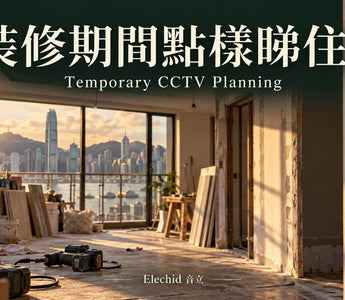
Hong Kong CCTV buying and setup guide. Information checked 27 October 2026.
Direct answer: temporary monitoring needs a changing-site plan
A renovation camera can help review progress or authorised deliveries, but it needs usable power, connectivity, storage and a safe position throughout the work. Those conditions often change as rooms are cleared, circuits are isolated and contractors move equipment. Choose the camera after identifying which services will actually remain available. A temporary installation should not interfere with works, create a trip hazard or be treated as a substitute for site supervision and security arrangements. State the monitoring purpose and agree appropriate views with the people involved before leaving a camera running in a changing work area.
Does the flat have usable internet during the work?
Check whether fixed broadband and the router will remain active, protected and connected. A Wi-Fi camera still depends on that network path for remote access. A phone hotspot may be useful for a short setup exercise, but do not assume a contractor phone will remain on site or maintain a permanent connection. If no fixed internet is available, assess a compatible 4G camera and a suitable local data plan. Confirm reception at the actual mounting position before committing. A device having a SIM slot does not guarantee that every Hong Kong SIM, plan or indoor location will work reliably.
4G does not tell you how the camera is powered
Connectivity and power are separate specifications. The shop EZVIZ H5 4G model uses a specified external power supply despite offering cellular connectivity; it is not a battery camera. Conversely, a battery model still needs a charging plan and a suitable recording mode for the task. Do not infer continuous recording from the word battery or assume that a solar panel will work behind an indoor window during dusty renovation work. When power will be interrupted, identify what remains operational and which parts of the monitoring chain stop. Avoid improvised electrical arrangements to keep a consumer camera running.
Keep the camera out of the work and dust path
Identify positions away from drilling, sanding, direct water exposure and material storage. An indoor camera should not be treated as a construction-rated device. Covers can obstruct vision or trap heat, so do not wrap equipment in improvised material while it operates. Keep the mount secure and cables routed where they will not be pulled, cut or mistaken for waste. If the safe position changes as work progresses, plan a controlled relocation. Protecting a camera should never require somebody to work at height or enter an unsafe area simply to restore a live view.
Recording mode matters more than occasional live checks
If the purpose is to review deliveries or an incident, choose a documented recording method and enough usable storage. A camera that only wakes for events may not provide an uninterrupted work timeline. Continuous recording, pre-recording and scheduled recording are model-specific capabilities, not interchangeable marketing labels. Check whether the footage remains local, goes to a recorder or needs a cloud service. If remote viewing fails during an internet interruption, do not immediately conclude that all recording has stopped; equally, do not assume local recording continues without checking the device setup and remaining power.
Relocating the camera requires a fresh check
After moving a camera, confirm the new view, connection, power lead, recording schedule and time settings. Dust on the lens or a newly built partition can alter a previously acceptable result. Test a short recorded clip and playback rather than stopping at a connected icon. Keep a simple record of the positions used and any periods when monitoring was unavailable. Do not promise continuous coverage across planned power cuts or building works. If the camera is moved into a different environment, reassess its suitability instead of treating the original setup check as permanent approval.
Practical product directions for different conditions
Where protected indoor power and reliable Wi-Fi remain available, E1 Zoom 4K can be considered for indoor monitoring, subject to dust and site conditions. Where there is suitable fixed power but no fixed broadband, H5 4G is a different candidate; check the supplied regional LTE bands and plan first. Neither choice is a promise that a particular building will have reception or that all recording requirements are met. If the only available position is harsh or unsafe, changing the plan is preferable to forcing a consumer device into it. Do not buy an accessory until its exact camera compatibility is established.
Before work starts, agree responsibilities and boundaries
Name the person who will check the system, charge any battery equipment, export relevant clips and remove access at the end of the project. Keep the view limited to the agreed area and avoid unnecessary audio recording. A camera does not establish work quality or resolve a contractual disagreement by itself. At handover, review retention needs, revoke temporary sharing and check whether the temporary camera will remain suitable in the finished room. If the equipment belongs to the customer, retain control of the owner account rather than leaving the system permanently attached to a contractor account.
A temporary purchase should also suit the final plan
Before buying, consider whether the camera will be useful after renovation. A plug-in indoor camera may later serve an appropriate living-room position, while a cellular camera brings ongoing SIM and data considerations. Do not assume that accessories bought for the temporary setup will transfer to another model. Record what is included, what is separate and who will retain account ownership. If the renovation lasts longer than planned, review charging, storage and access arrangements instead of relying on the original timetable. The cheapest initial device is not necessarily the lowest-cost workable arrangement over the whole period.
Relevant products and suitability limits
- Reolink E1 Zoom 4K 8MP:Only where an appropriate protected indoor environment, power and network remain available.
- EZVIZ H5 4G 2K:4G candidate needing fixed external power; SIM, plan, bands and coverage need confirmation.
These are specification-based starting points, not site-test results or a compatibility guarantee. Confirm the Hong Kong supplied version, full model, hardware revision and firmware. An unlisted feature, accessory or service is not included by implication. Check the product page and confirm price, availability and warranty arrangements before ordering.
Manufacturer sources and evidence scope
- EZVIZ: H5 4G product information
- Reolink: operation without Wi-Fi or internet
- Reolink: environment requirements
Sources establish the stated technical principles and documented functions. Scenarios, checklists and buying decisions are editorial guidance, not a manufacturer promise for a particular Hong Kong site. Interfaces and supported-device lists can change; check the instructions for your version before configuring equipment.


