
Dolby Vision vs HDR10: how much does it actually matter?
Look at any TV specification sheet and you will see HDR10, HDR10+ and Dolby Vision listed. Most comparison articles conclude by telling you to hold out for Dolby Vision.
But a TV buyer does not choose an HDR format — you choose a television, and the television determines which formats you get. So the useful question is not "which should I pick", it is "which does my TV have, and how much difference does it make?"
First, the question everyone actually worries about
Q: If my TV has no Dolby Vision, can it still play Dolby Vision films?
A: Yes — and they still look like HDR.
All HDR content carries an HDR10 base layer. Dolby Vision and HDR10+ both add a layer of dynamic metadata on top of that base. If your TV cannot read that layer, it plays the HDR10 base instead — the picture is still HDR, it simply lacks the per-scene fine-tuning.
So this is not a question of having HDR or not having it. It is a question of having one extra tuning layer or not.
Three formats, in one table
| Format | Metadata | Who uses it |
|---|---|---|
| HDR10 | Static — one setting for the whole title | Every HDR TV supports it (the base layer) |
| HDR10+ | Dynamic — adjusts scene by scene | Samsung (co-developer), some TCL and Hisense |
| Dolby Vision | Dynamic — scene by scene or frame by frame | LG, some TCL, Hisense and Skyworth |
HDR10+ and Dolby Vision do the same job — telling the TV, scene by scene, how to handle brightness and colour so dark scenes do not crush and bright scenes do not clip. What differs is which company stands behind each and how it is licensed.
⚠ What most comparisons get wrong: the brightness ceiling
Plenty of articles claim "Dolby Vision supports 10,000 nits, HDR10 only 1,000", and conclude that Dolby Vision is more future-proof.
That is wrong. The official HDR10+ organisation states it plainly: HDR10, HDR10+ and Dolby Vision all use the same PQ curve (SMPTE ST 2084), covering the same 0 to 10,000 nit range. Its documentation explicitly rejects the idea that HDR10+ is capped at any figure below 10,000 nits.
So where does the 1,000-nit number come from? It is a mastering convention, not a format limit. As the official wording puts it, most professional HDR content today is mastered to 1,000 nits because that matches the peak capability of current premium consumer displays.
And the sentence worth remembering:
The brightness you actually see is determined by your TV's panel, not by the HDR format.
Put differently: choose the panel, not the badge. A Mini LED set with real brightness headroom playing HDR10 will deliver more HDR impact than a dim set playing Dolby Vision.
12-bit colour: the honest version
The Dolby Vision specification supports 12-bit colour depth (roughly 68 billion colours in theory); HDR10 and HDR10+ are 10-bit (about 1.07 billion).
But to be straight about it: consumer TV panels are 10-bit, or 8-bit with FRC — none are true 12-bit. So 12-bit Dolby Vision content is still displayed on a 10-bit panel.
The real value of 12-bit sits in the mastering and transport chain — the extra headroom means less banding after content has been processed several times. That is a genuine engineering advantage, but it does not mean you will see 68 billion colours.
Why doesn't Samsung support Dolby Vision?
This is the question Hong Kong customers ask most, so here is the direct answer.
No Samsung TV has Dolby Vision — not "some models do", none. Samsung co-developed HDR10+ and has publicly stated it will not add Dolby Vision, citing the additional manufacturing cost and licence fees.
HDR10+ is royalty-free to adopters — there is no per-unit royalty, only a fixed annual administration fee — while Dolby Vision carries a licence cost per set. That is the whole commercial logic behind the split.
LG sits on the other side: a long-standing Dolby Vision supporter, and equally clear about its position on HDR10+.
What this means for you: you are not choosing a format, you are choosing a brand. And the picture-quality gap between the two camps is far smaller than the gap created by panel type (OLED / Mini LED / LED) and local dimming.
What you actually get, by brand, in Hong Kong
Samsung — HDR10+
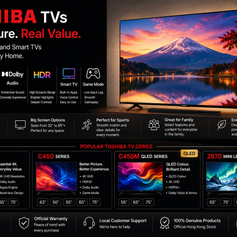
Everything from entry Crystal UHD up to flagship Neo QLED and QD-OLED uses HDR10+. For example the S90F QD-OLED 65" (HK$10,980) and the QN85F Neo QLED 55" (HK$6,280). Full range at Samsung TVs.
LG — Dolby Vision
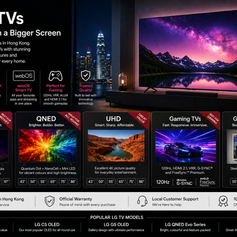
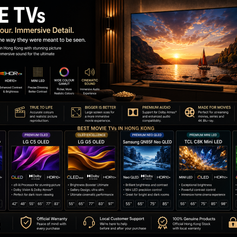
The OLED evo C6 (2026, HK$14,800) and OLED evo AI G6 65" (2026, HK$26,800) both support Dolby Vision. If most of what you watch is mastered in Dolby Vision, these are the most direct choice available here.
TCL, Hisense, Skyworth, Toshiba — usually both
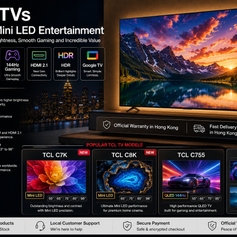
These Google TV sets typically support Dolby Vision and HDR10+ together — for example the TCL C7K QD-Mini LED (from HK$5,499). But it needs checking per model, since different ranges from the same brand vary. If you are unsure, WhatsApp us.
What the streaming platforms actually carry
- Netflix — offers both Dolby Vision and HDR10+ versions (HDR10+ support was added more recently). 4K HDR requires the Premium plan; Standard and Standard with ads top out at 1080p
- Disney+ — primarily Dolby Vision, with HDR10+ now added
- Apple TV+ — primarily Dolby Vision
- Prime Video — both, depending on the title
- Blu-ray — HDR10 as the base, with Dolby Vision or HDR10+ on some discs
- PS5 / Xbox — games mainly use HDR10 (some Xbox titles support Dolby Vision for Gaming)
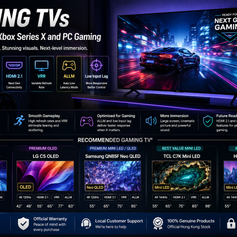
The upshot: whichever format your set uses, the major platforms carry a matching version — you will not run into "it won't play". Gamers should pay more attention to 4K120, VRR and ALLM in our gaming TV range; those affect the experience more than the HDR format does.
What to actually prioritise when buying
If you want one ordering, from most to least impact:
- Panel type — OLED, Mini LED or standard LED. This governs black level, contrast and bright-room performance, and matters most by a wide margin
- Brightness headroom and local dimming — these decide how much impact HDR content actually has
- Size matched to your viewing distance — getting this wrong costs more than any specification
- HDR format (HDR10+ or Dolby Vision) — last. Nice to have, but it will not overturn the three above
To compare panel technologies from the ground up, see our Movie TVs range; for the single most important step after buying (Filmmaker Mode), see our TV picture calibration guide.
Frequently asked
Will Netflix look much worse on a TV without Dolby Vision?
No. Netflix HDR content carries an HDR10 base layer, and Samsung sets will use the HDR10+ version. The difference lies in that per-scene tuning layer, which is not obvious on most content — whereas the difference in the panel's own black level and brightness very much is.
Which is better, Dolby Vision or HDR10+?
They take similar technical approaches, both using dynamic metadata. Dolby Vision's specification ceiling is higher (12-bit), but since consumer panels are 10-bit that theoretical advantage is largely unrealised. On content availability, Dolby Vision is currently more widespread; HDR10+ has been closing the gap quickly on the major platforms.
Should I choose LG just to get Dolby Vision?
If most of your viewing is Dolby Vision content and you watch in a dark room, LG OLED is a perfectly sensible choice. But do not give up a better panel, or a set better suited to your room, purely for the badge. In a bright room, a Neo QLED or Mini LED will usually look better than a dimmer set that happens to have Dolby Vision.
Is HDR10+ just a Samsung thing?
Samsung is one of its co-developers. HDR10+ is royalty-free to adopters — only a fixed administration fee, no per-unit royalty — which is the main commercial difference from Dolby Vision, and why a growing number of brands now support both.
How do I find out which formats my TV supports?
Play some HDR content and check the TV's information or signal display, which usually shows the format currently in use. On a Samsung you can also check the incoming signal format under Self Diagnosis → HDMI Signal. If you are unsure, WhatsApp us with your model and we will tell you directly.
Warranty and contact
We sell international-version TVs, so the warranty is provided directly by Elechid rather than by the manufacturer. Our policy, in its own words: three years of door-to-door free checking and repairing; replacement parts are charged additionally. Full terms, delivery and installation charges are in our FAQ. Our Kwun Tong showroom holds stock, and you can arrange to see a set in person.
If you are not sure which set to buy, WhatsApp us — tell us what you mostly watch, how much daylight your living room gets and your budget, and we will tell you plainly how much the HDR format will matter to you. We will not use specifications to intimidate you into a bigger purchase.